> ## Documentation Index
> Fetch the complete documentation index at: https://checkly-422f444a-paula-tree-202-entitlements-group-troubles.mintlify.site/llms.txt
> Use this file to discover all available pages before exploring further.
# Private Locations Quick Start
> Get up and running with Private Locations in minutes. Follow this step-by-step guide to deploy your first Checkly Agent.
# Quick Start Guide
Follow this step-by-step guide to set up your first Private Location and start monitoring internal systems.
## Prerequisites
Before you begin, ensure you have:
* **Checkly Account**: Owner or Admin permissions
* **Infrastructure**: Container runtime (Docker, Podman, or similar)
* **Network Access**: Outbound HTTPS to `agent.checklyhq.com`
* **Target Access**: Network connectivity to your applications
## Step 1: Create Your Private Location
Navigate to [Private Locations](https://app.checklyhq.com/private-locations) and click "New private location":
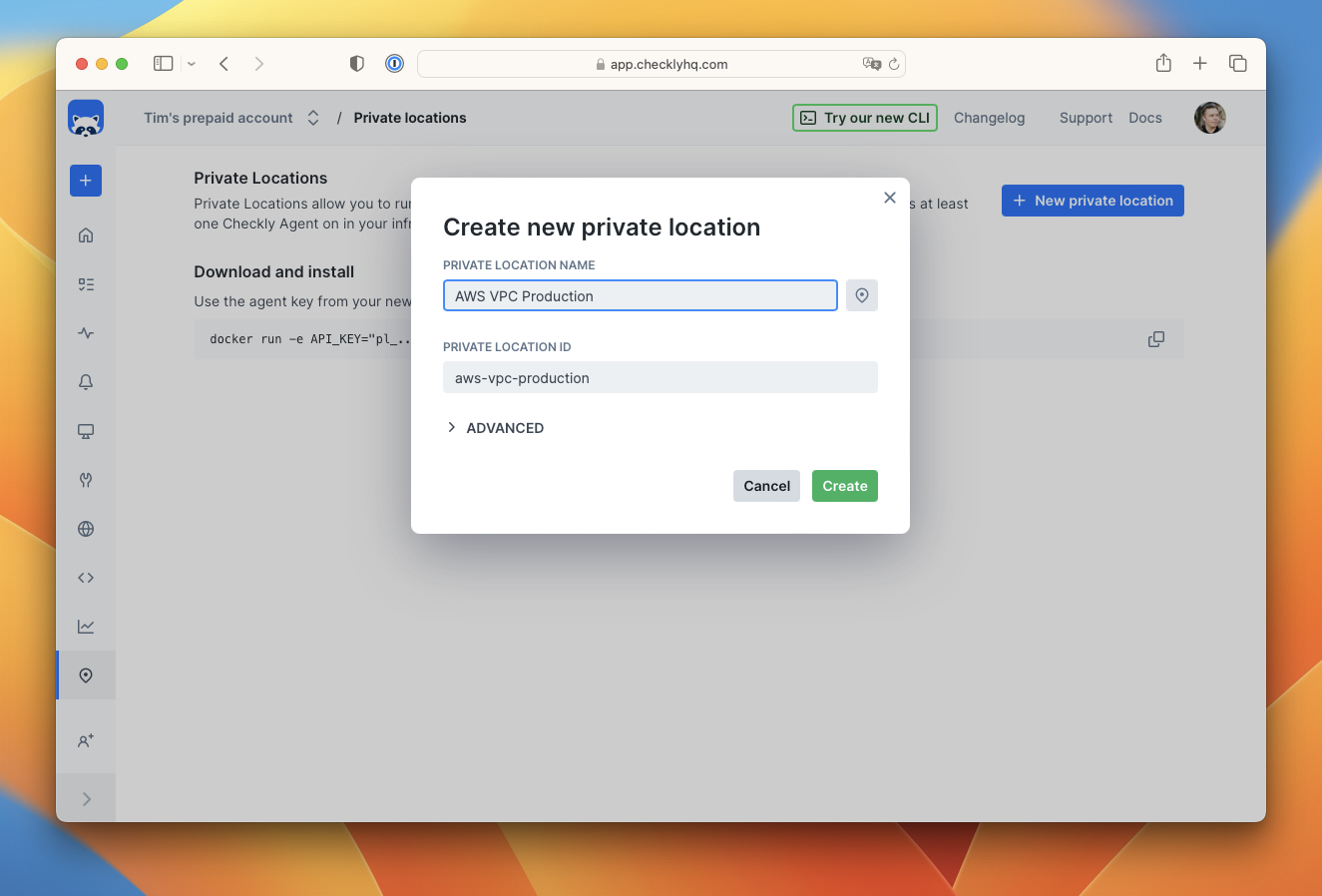 Provide a descriptive name and choose an icon that represents your location or environment.
## Step 2: Secure Your API Key
Copy and securely store the generated API key. This key authenticates your agents with Checkly:
Provide a descriptive name and choose an icon that represents your location or environment.
## Step 2: Secure Your API Key
Copy and securely store the generated API key. This key authenticates your agents with Checkly:
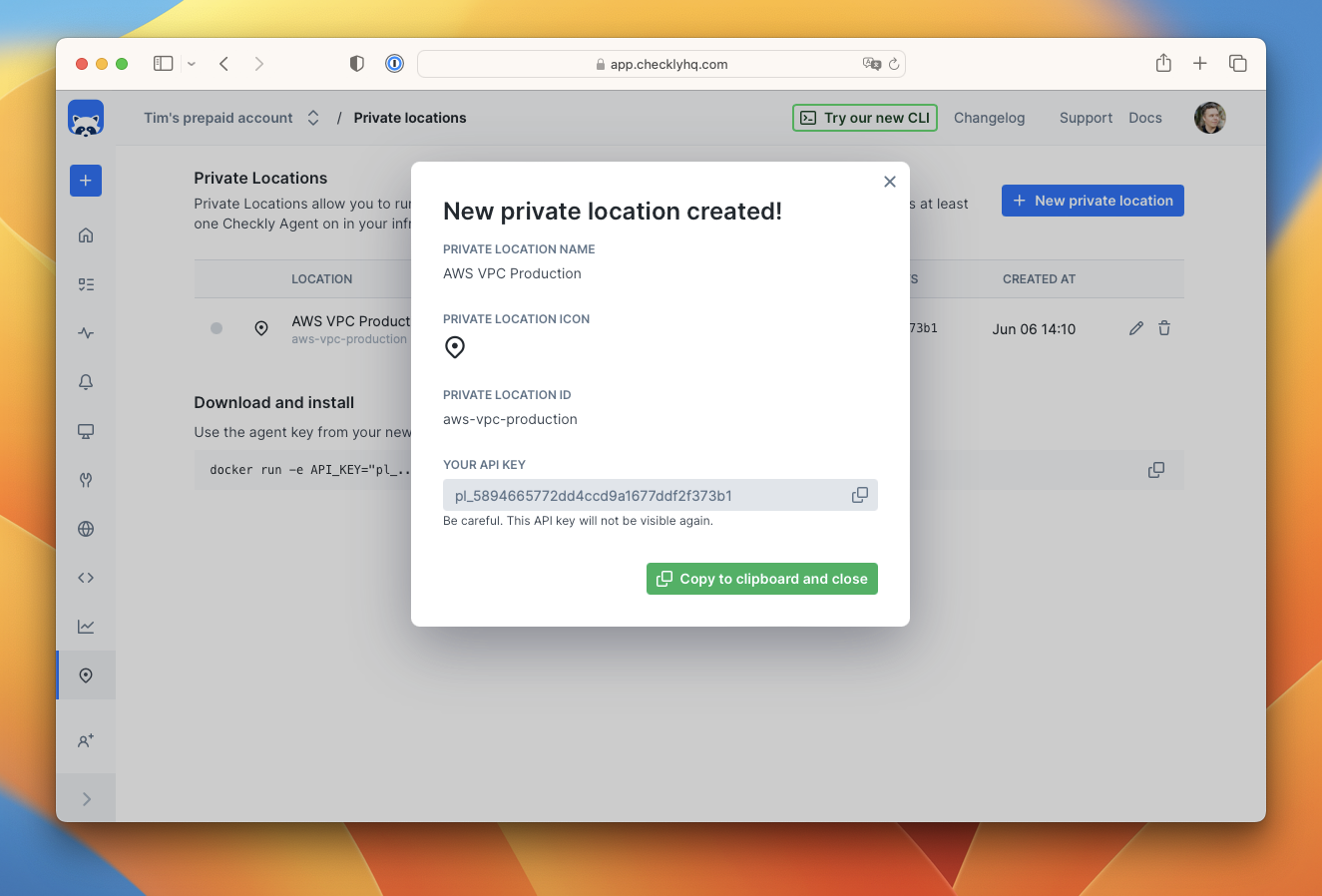 The API key is only shown once during creation. Store it securely in your secrets management system.
## Step 3: Deploy Your First Agent
Start a Checkly Agent using Docker:
```bash theme={null}
docker run -e API_KEY="pl_your_api_key_here" -d checkly/agent:latest
```
For production deployments, consider:
* Using specific version tags instead of `latest`
* Configuring resource limits and restart policies
* Setting up monitoring and logging for the agent containers
## Step 4: Verify Agent Connection
Refresh your Private Locations page to see your active agents:
The API key is only shown once during creation. Store it securely in your secrets management system.
## Step 3: Deploy Your First Agent
Start a Checkly Agent using Docker:
```bash theme={null}
docker run -e API_KEY="pl_your_api_key_here" -d checkly/agent:latest
```
For production deployments, consider:
* Using specific version tags instead of `latest`
* Configuring resource limits and restart policies
* Setting up monitoring and logging for the agent containers
## Step 4: Verify Agent Connection
Refresh your Private Locations page to see your active agents:
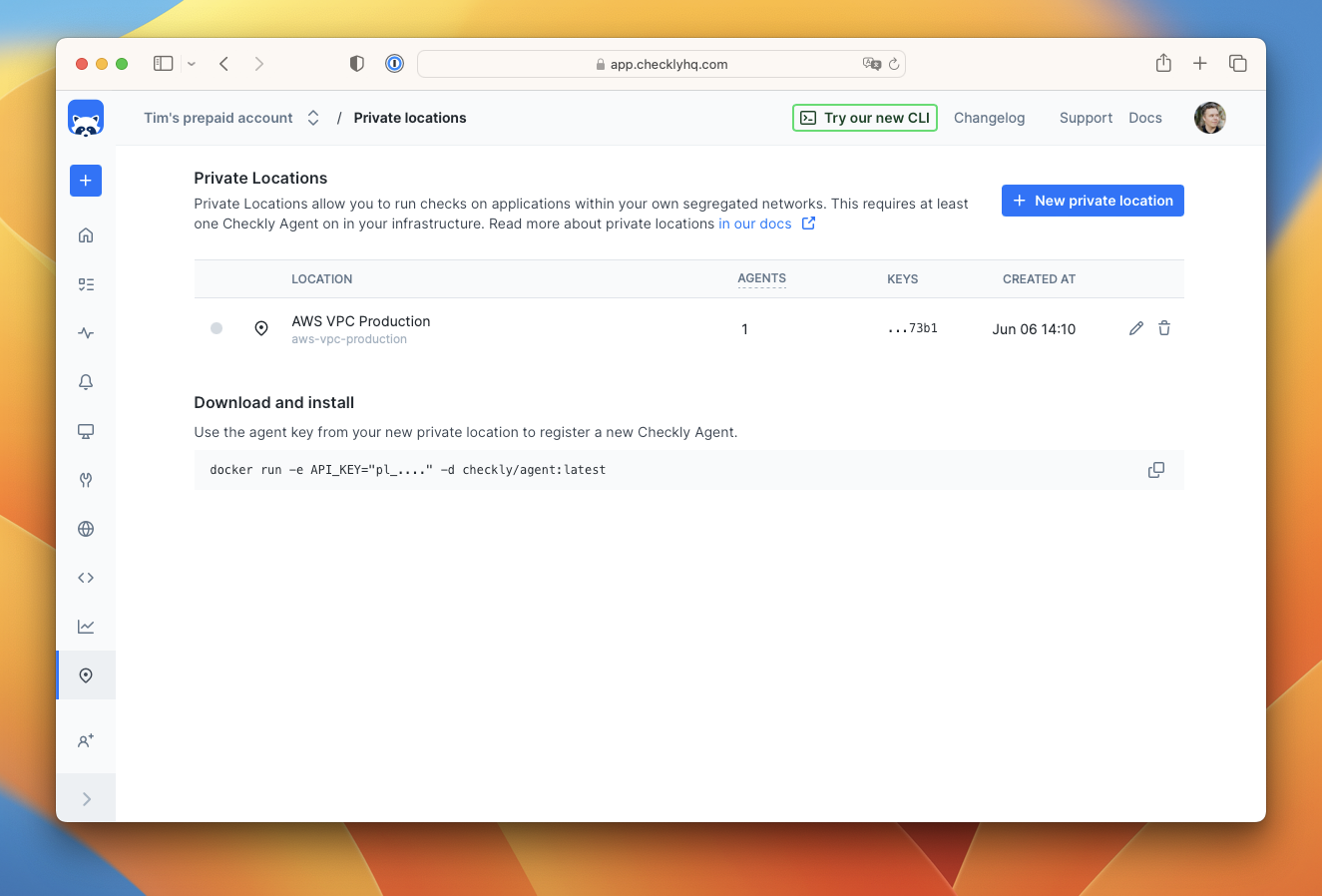 The interface shows:
* Number of active agents
* Last connection time
* Agent health status
## Step 5: Configure Your Checks
When creating checks, select your Private Location from the available locations:
The interface shows:
* Number of active agents
* Last connection time
* Agent health status
## Step 5: Configure Your Checks
When creating checks, select your Private Location from the available locations:
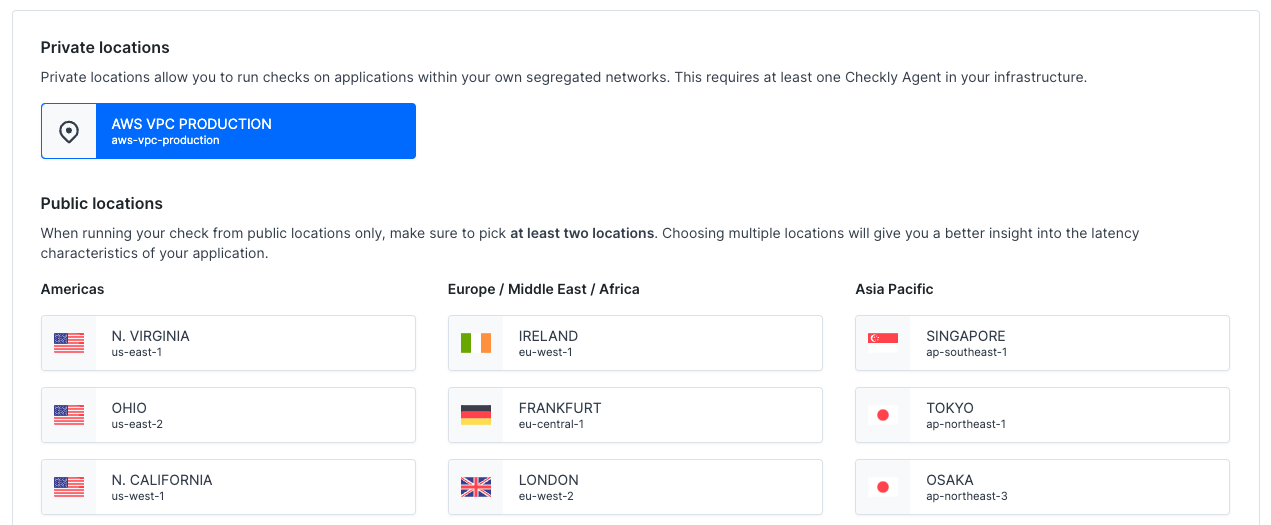 Deselect other locations to ensure your checks run exclusively from your Private Location.
## Resource Requirements
**Memory Guidelines:**
* API checks: \~150MB per concurrent check
* Browser checks: \~1.5GB per concurrent check
* Minimum recommended: 2 CPU cores, 4GB RAM for mixed workloads
## Next Steps
Once your first agent is running, explore these advanced topics:
Learn advanced agent configuration options, environment variables, and production settings
Deploy Private Locations on Kubernetes for production-scale monitoring
Explore real-world examples and deployment patterns
Integrate Private Locations with monitoring-as-code workflows
Start small with a single agent to test connectivity and functionality, then scale based on your monitoring requirements and workload patterns.
Deselect other locations to ensure your checks run exclusively from your Private Location.
## Resource Requirements
**Memory Guidelines:**
* API checks: \~150MB per concurrent check
* Browser checks: \~1.5GB per concurrent check
* Minimum recommended: 2 CPU cores, 4GB RAM for mixed workloads
## Next Steps
Once your first agent is running, explore these advanced topics:
Learn advanced agent configuration options, environment variables, and production settings
Deploy Private Locations on Kubernetes for production-scale monitoring
Explore real-world examples and deployment patterns
Integrate Private Locations with monitoring-as-code workflows
Start small with a single agent to test connectivity and functionality, then scale based on your monitoring requirements and workload patterns.